PocketCook App Store

From a YouTube video

Save the recipe from a YouTube cooking video.

Share the video to PocketCook, or paste its link. You get the ingredients and the steps, credited to the cook, with their video kept at every step.

Get PocketCook on the App Store Free on iPhone and iPad · Android is in testing

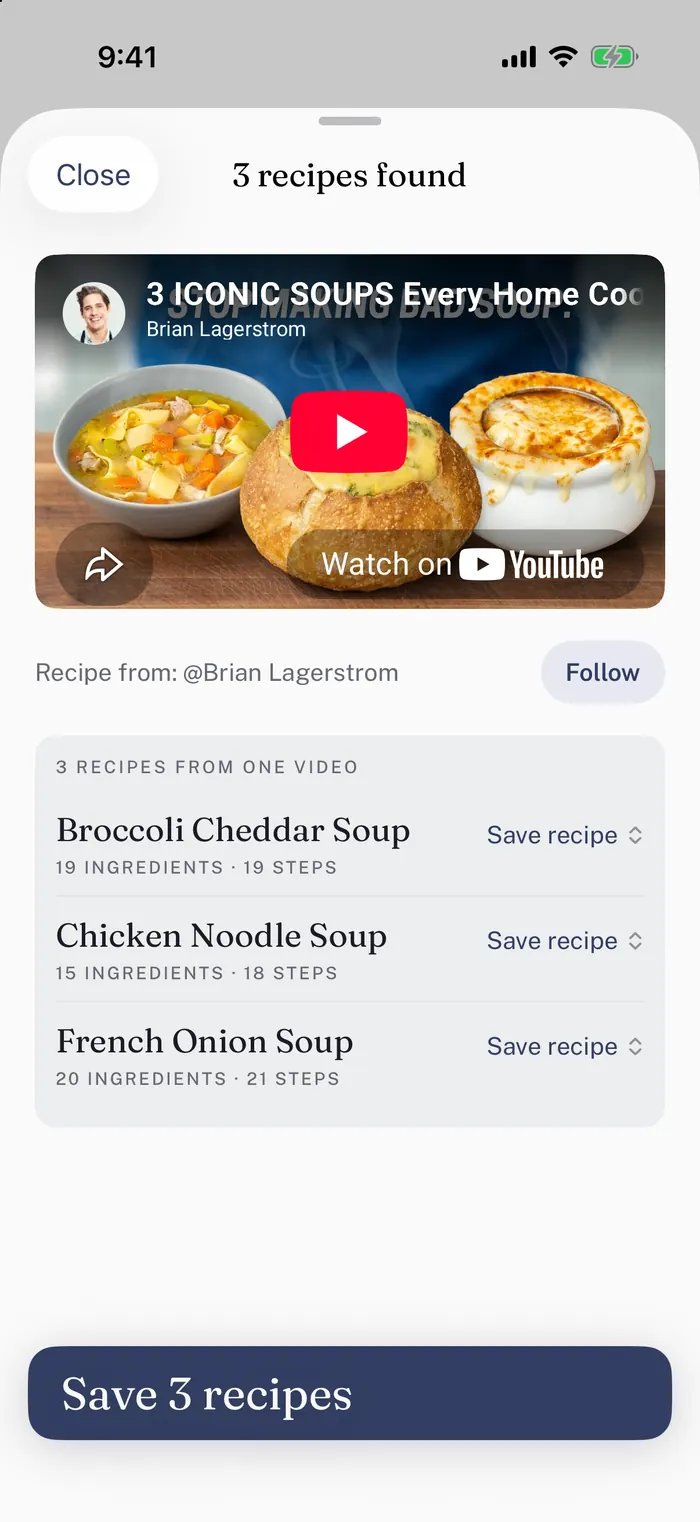
The app after Brian Lagerstrom's soup video is pasted: three recipes found, Broccoli Cheddar Soup, Chicken Noodle Soup and French Onion Soup, each with its own ingredients and steps, and a button to save all three.
One soup video, three separate recipes.

How to do it

Three steps, and the last one is dinner.

  1. Share it to PocketCookIn YouTube, tap Share, then PocketCook. If it is not in the row, look under More. Shorts work too.
  2. Or paste the linkTap Copy link instead, then open PocketCook and paste. Either way, the ingredients and the steps come back, each dish as its own recipe, credited to the cook.
  3. Cook with the videoEach step takes the video to the moment it happens, so you can watch the cook do it.

While you cook

The right video. At the right step.

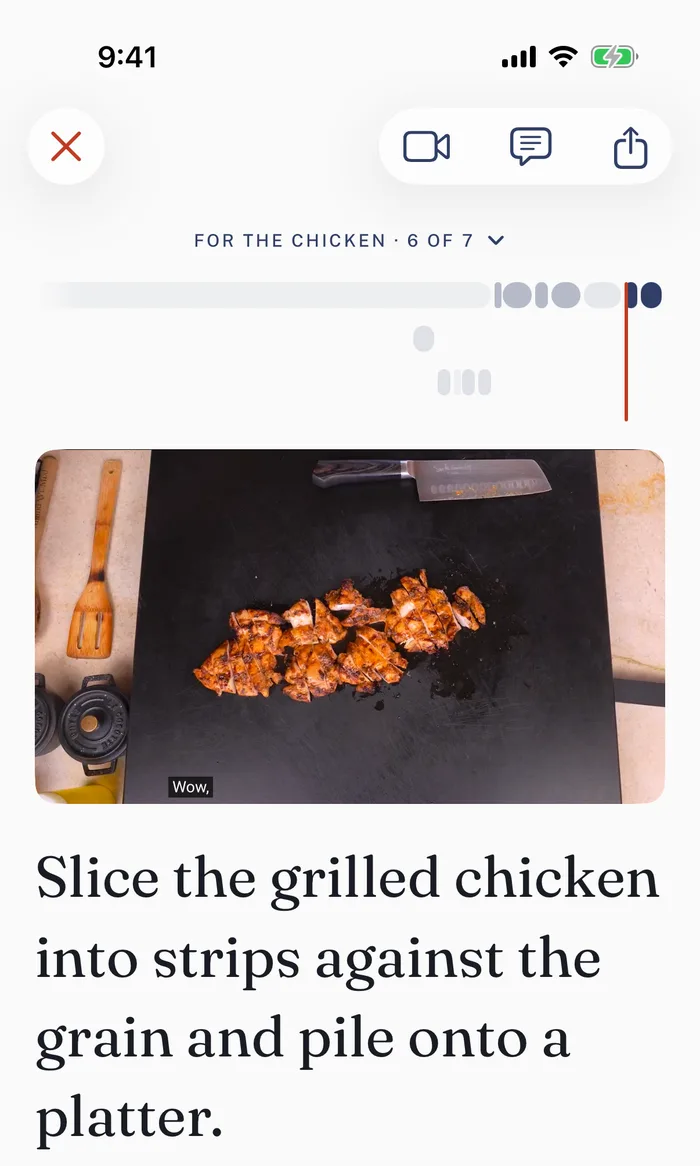
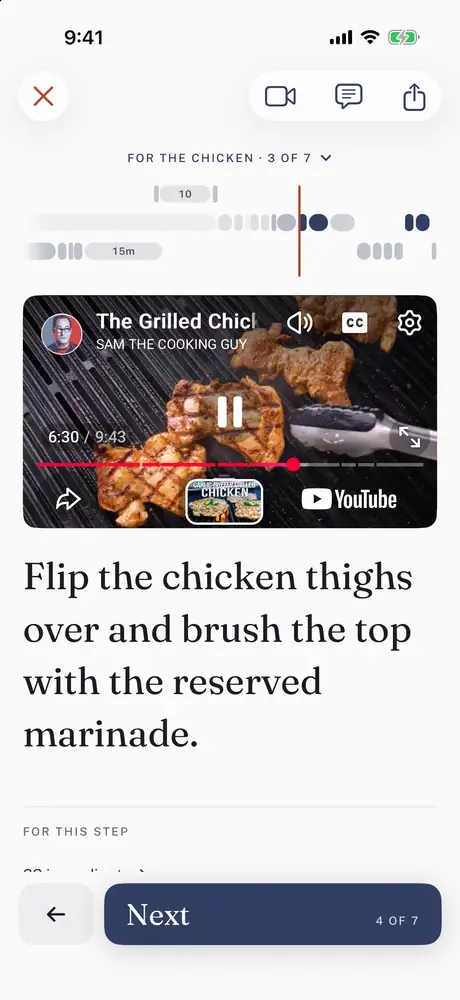
Each step takes the video to the moment it happens, not the start of the video. Let it play, and the recipe moves along with it.

Step six of seven for Sam the Cooking Guy's grilled chicken, slice it into strips against the grain and pile it onto a platter, with his video at the moment the sliced chicken is on the board.

No written recipe

When the cook only says it out loud.

Plenty of cooks never write the recipe down. With Plus, PocketCook watches the video and writes the recipe out for you, with the ingredients and the steps in order.

Step four of eleven, headed while the sheet-pan chicken thighs
              wait: toss the tomatoes, onion and garlic with the oil and roast
              them, with a 35-minute timer.

Questions

What people ask

Can I save a recipe from a YouTube Short?
Yes. Share the Short to PocketCook, or copy its link and paste it in, the same way.
What if the video has no written recipe?
With Plus, PocketCook watches the video and writes the recipe out for you.
Does the cook get credit?
Yes. Every recipe names the person who made it and links back to their video.
Does it work with recipe websites too?
Yes. Links from food blogs and recipe sites work the same way. You get the ingredients and the steps, without the life story.
Is PocketCook free?
Yes, to start. The free version saves recipes, plans the week, shops it and cooks it. Plus takes the limit off your recipe book and writes out videos that have no written recipe.
Is there an Android version?
PocketCook is on iPhone and iPad. Android is in testing, and anyone can join the test.

Coming from another recipe app? See how PocketCook compares with Paprika and ReciMe.

Get PocketCook on the App Store Free on iPhone and iPad · Android is in testing

YouTube is a trademark of Google LLC, which is not affiliated with PocketCook. The cooks shown in PocketCook’s screens have not endorsed PocketCook and aren’t affiliated with it.