For your viewers
How can my viewers cook along with my YouTube video?
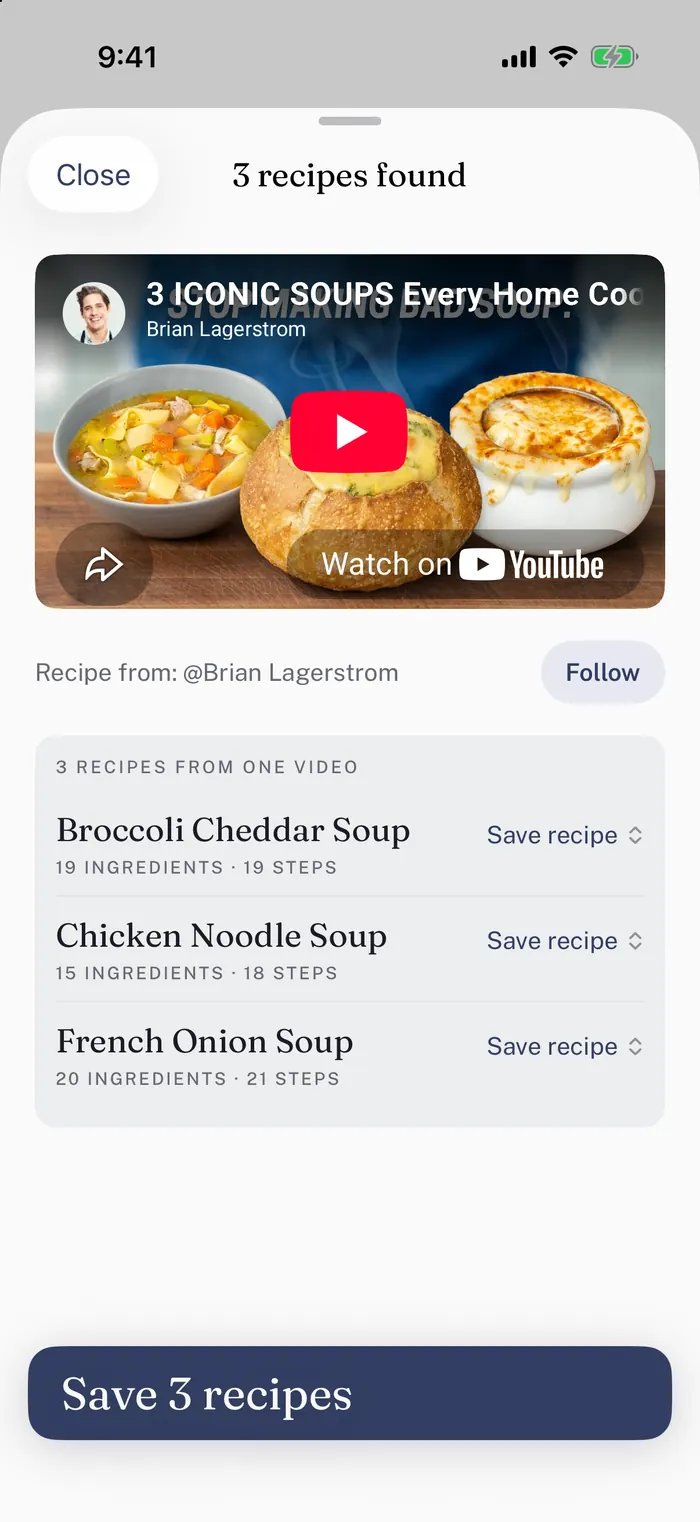
Put your PocketCook link in your video’s description. Your viewers open it and cook your recipe one step at a time, with your video right above it, on the page or in the PocketCook app.
- Add your linkIt’s
pocketcook.app/@yourchannel/ and then your video’s ID, the part of its address after watch?v=, or after shorts/ for a Short. It works without signing in.
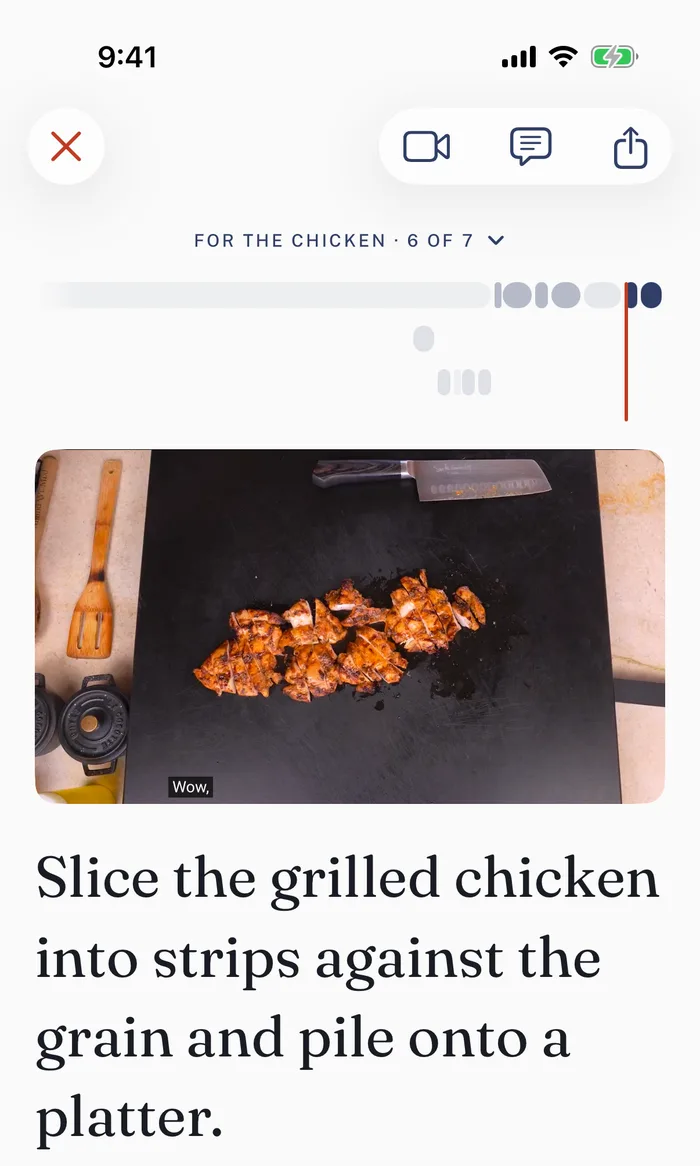
- They cook itEach step comes with its own ingredients, and a timer for anything that simmers, bakes or rests. In the app, your ingredients go on their shopping list.
- See how it wentSign in to the creator studio to see how many people opened your link, played your video and started cooking.
Viewers can also paste your video’s link into PocketCook themselves, and the recipe is credited to you the same way.
Credit
Does PocketCook credit me for my recipe?
Yes. Every recipe PocketCook reads from your video names you and links back to your video.
In the app, your name sits on the recipe, and anyone can follow you from it. Your new videos then show up in their recipe book.
Your PocketCook page opens with your name and your video above the recipe.
Your numbers
Can I see who cooks my recipes?
You can see how many people cook them, but never who they are.
Sign in to the creator studio with the Google account that owns your channel. It shows how many people saved each recipe, cooked it and would make it again, what they would change next time, and how many follow you in PocketCook.
It also shows how far into your recipe people got, and where the visitors to your link came from.
Your recipe page
Do I need a website to share my recipes?
No. Write your recipe in the creator studio, and your PocketCook link opens it as a page your viewers can cook from, with your video above it.
Your description
How to write a recipe PocketCook reads well
Put your recipe in your video’s description on YouTube, or in your caption on TikTok.
- Write out the whole recipe, or link the page on your website where it’s written.
- Start the list with a line that says Ingredients, then one ingredient per line, amount first.
Ingredients: 2 cups flour
- If the recipe has parts, name each one on its own line.
For the sauce:
- Start the steps with a line that says Method, and number them.
Method: 1. Whisk the eggs and sugar.
- Above the ingredients, say how many it serves and how long it takes, each on its own line.
Serves 4 Prep: 15 min Cook: 30 min
- For a video of several dishes, give each dish a chapter with its name.
4:12 Chicken Noodle Soup
The final say
How do I fix a recipe PocketCook got wrong?
Sign in to the creator studio, open the video, and change whatever is wrong.
From then on, your version is the one people get, on your page and in the PocketCook app.
Your gear links
Do my affiliate links still work in PocketCook?
Yes. Products you link in your video’s description show up with your recipe in the PocketCook app as your picks, and they open your own links, affiliate codes and all.
The creator studio lists the gear links it found for each of your videos.
For your followers
Can I give my followers a free month of PocketCook Plus?
Yes. Sign in to the creator studio and get your own code, which gives your followers a free month of Plus on iPhone and iPad.
You also get a link to put in your descriptions, and the studio shows what your code has done.
Your share
Do I earn anything when my followers subscribe?
Yes. For every follower who starts Plus with your code, you earn 30% of what Apple pays us for their subscription, every month they stay subscribed.
We pay by PayPal once a month, once you are owed $25. Anything less carries over to the next month, and a refunded month comes off what you are owed.
Before your first payment we ask for a W-9 if you are in the US, or a W-8BEN if you are not. And a post that shares your code has to say it is paid, which the FTC requires: #ad, or YouTube’s paid promotion label, is enough.
If you’d rather not
Can I keep my channel out of PocketCook?
Yes. Write to hello@pocketcook.app and we leave your whole channel out, including videos you post later.
PocketCook stops reading your videos, and your pages on pocketcook.app are taken down. Recipes people already saved stay in their own recipe books.
What we keep when you sign in, and how to have it deleted, is on our privacy page.
What it costs
What does PocketCook cost a creator?
Nothing. Your link and its page, the creator studio and your code are all free.
Your viewers can cook on your page for free too, and the PocketCook app is free to start.
All it takes is one link under your next video.
Open the creator studio
Sign in with the Google account that owns your channel.
YouTube is a trademark of Google LLC, which is not affiliated with PocketCook. The cooks shown in PocketCook’s screens have not endorsed PocketCook and aren’t affiliated with it.
 PocketCook
Sign in
PocketCook
Sign in