 PocketCook
App Store
PocketCook
App Store
Cook alongside the chefs you follow.
Save their videos as recipes, then plan, shop and cook with the video beside you.
Get PocketCook on the App Store Free on iPhone and iPad · Android is in testing
 PocketCook
App Store
PocketCook
App Store
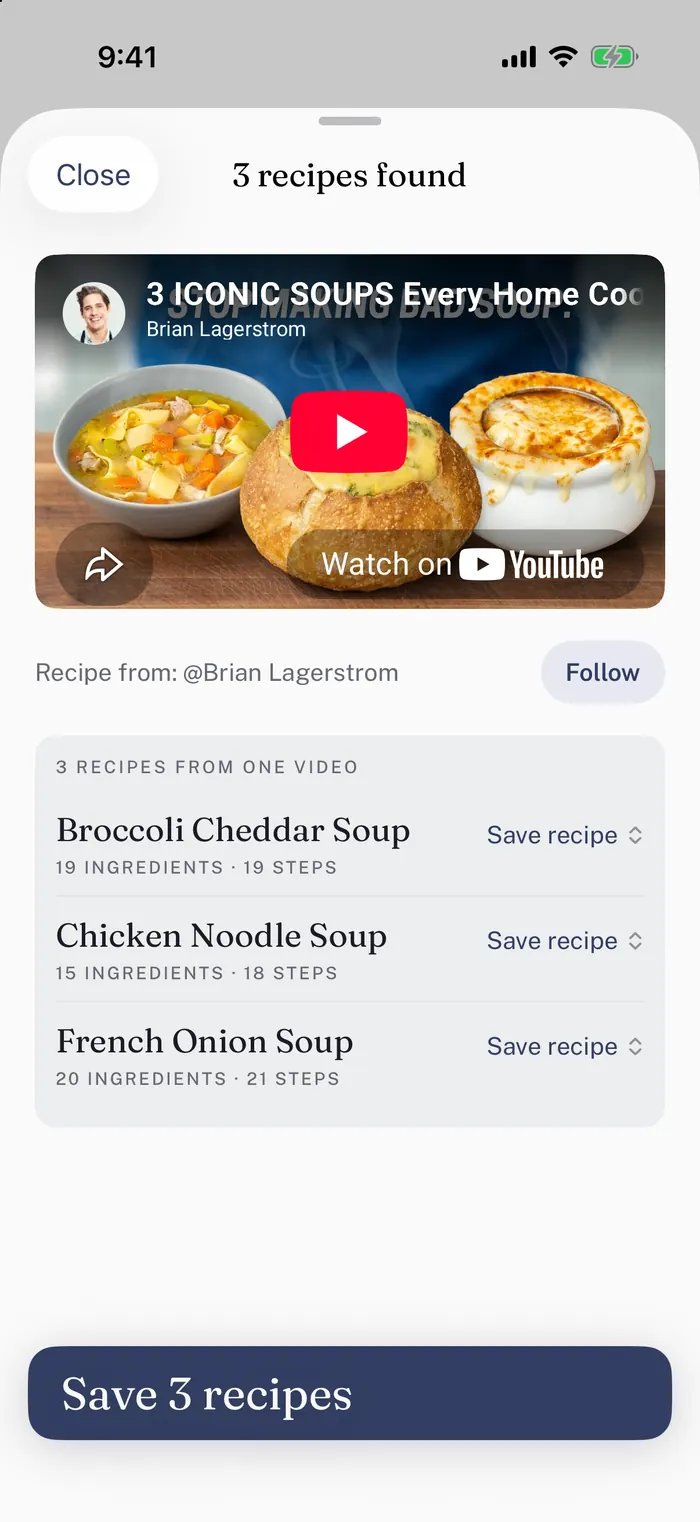
Save their videos as recipes, then plan, shop and cook with the video beside you.
Get PocketCook on the App Store Free on iPhone and iPad · Android is in testing
From a video
While you cook
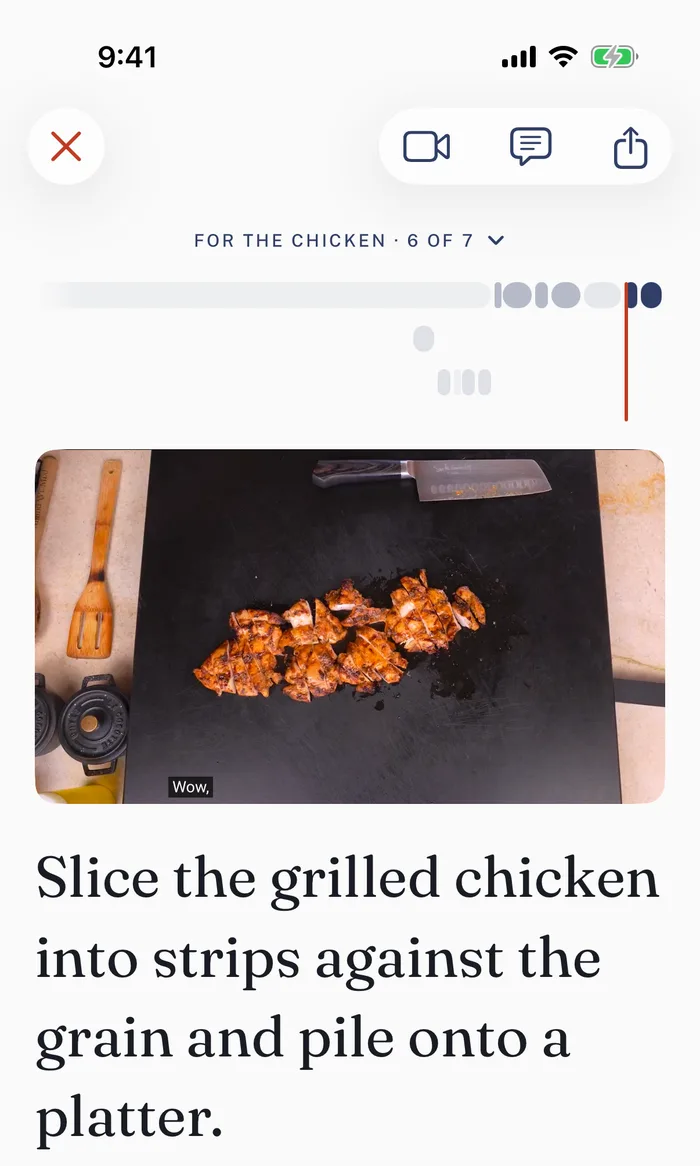
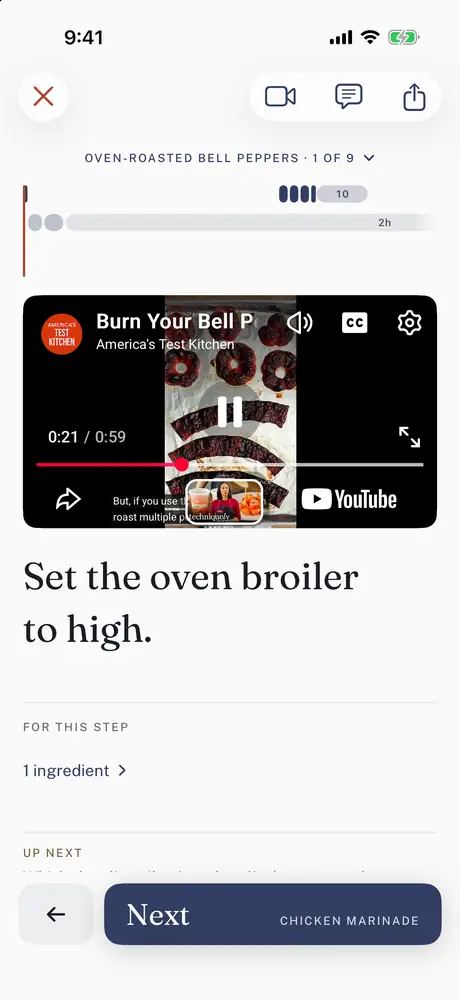
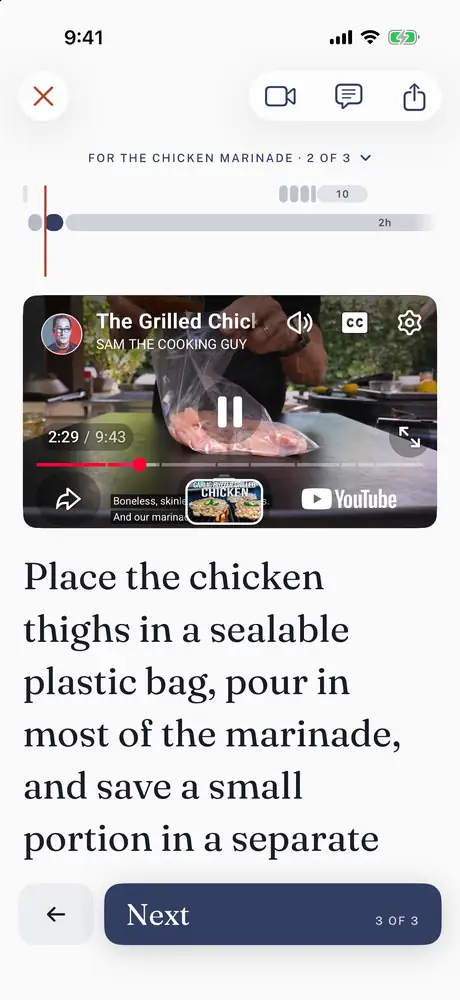
Each step takes the video to the moment it happens, not the start of the video. Let it play, and the recipe moves along with it.
While you cook
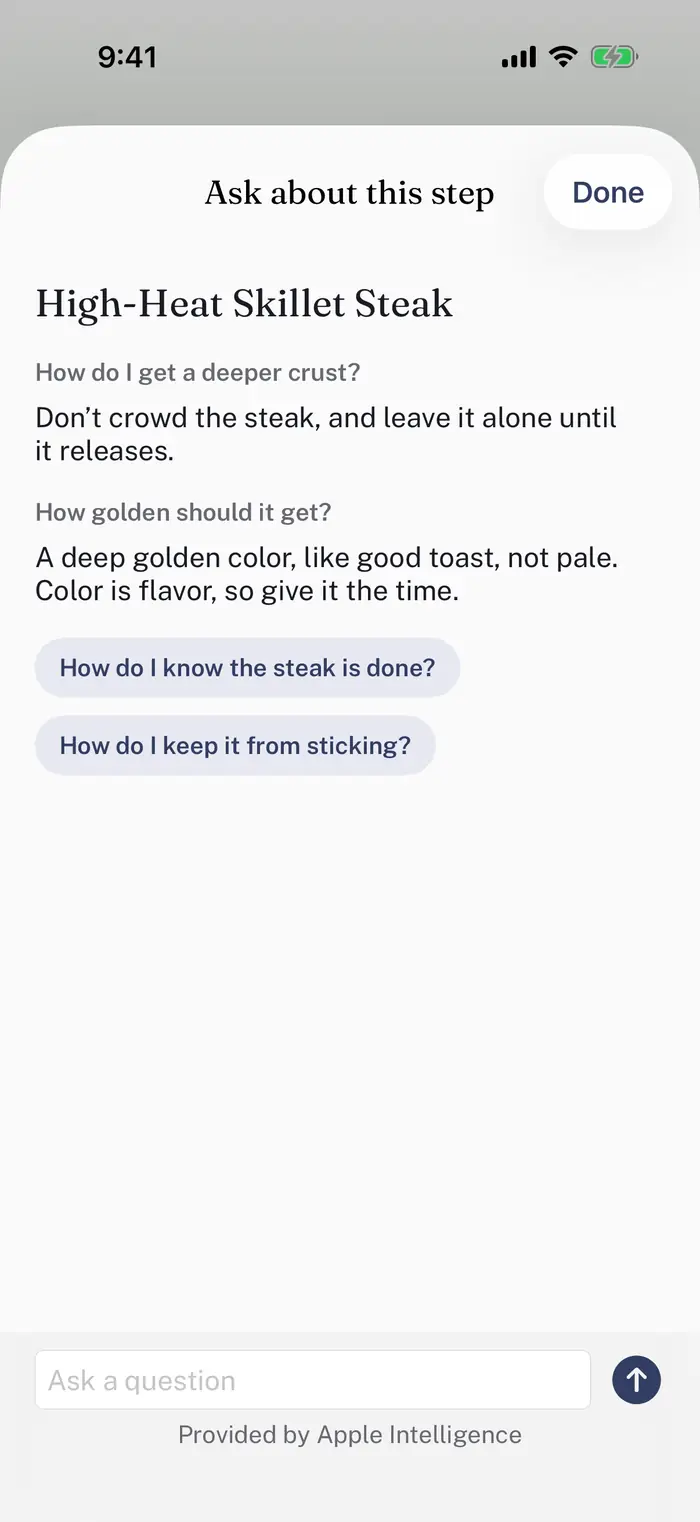
Ask how to tell when it’s done, what to swap or how to fix it, and get a short answer from the recipe you’re cooking.
The questions that fit the step are there to tap, or type your own.
Creators
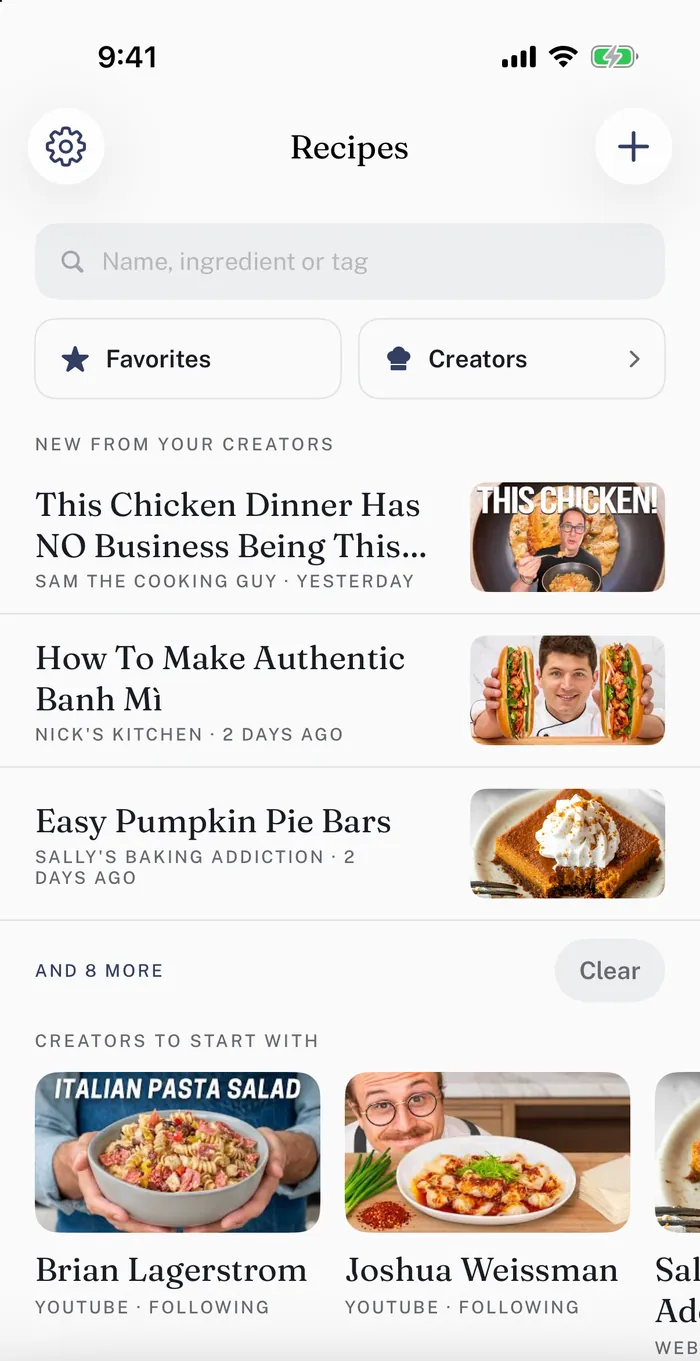
Everyone you save a recipe from is kept together in your book. Follow them, and their new videos show up there, ready to turn into a recipe with one tap.
Just starting out? Your book suggests a few creators worth cooking from.
The cooks named here and in the app have not endorsed PocketCook and aren’t affiliated with it. We only read what they post publicly, and every recipe credits them and links back to their video.
For dinner
Put recipes from different cooks together as one dinner. Each dish keeps its own cook’s video, and every step brings up the right one, at the moment it happens.
Have a video in mind? That’s all you need to start.
Get PocketCook on the App Store Free on iPhone and iPad · Android is in testing
How it works
Your recipe can come from a video link, a recipe page or an assistant’s reply. From there, it’s the same four steps.
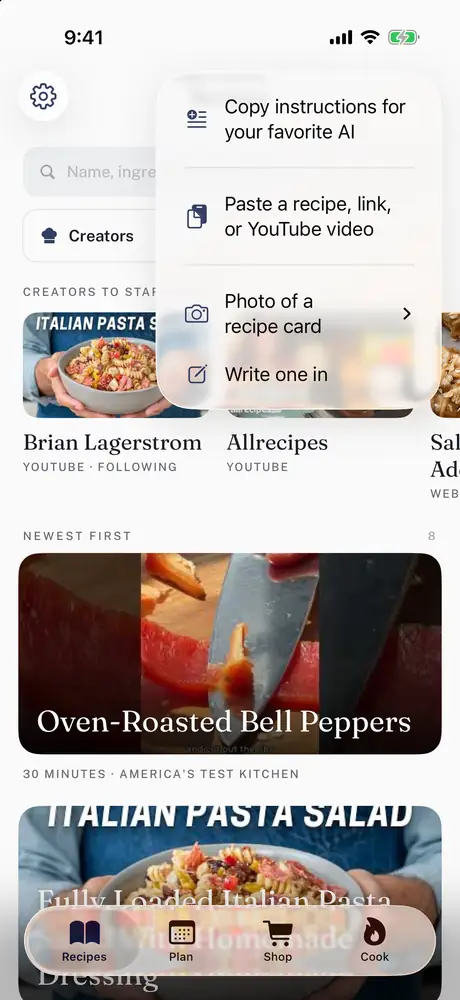 Paste a recipePaste the link or the reply, and PocketCook pulls out the ingredients and steps and keeps the video, credited to its creator.
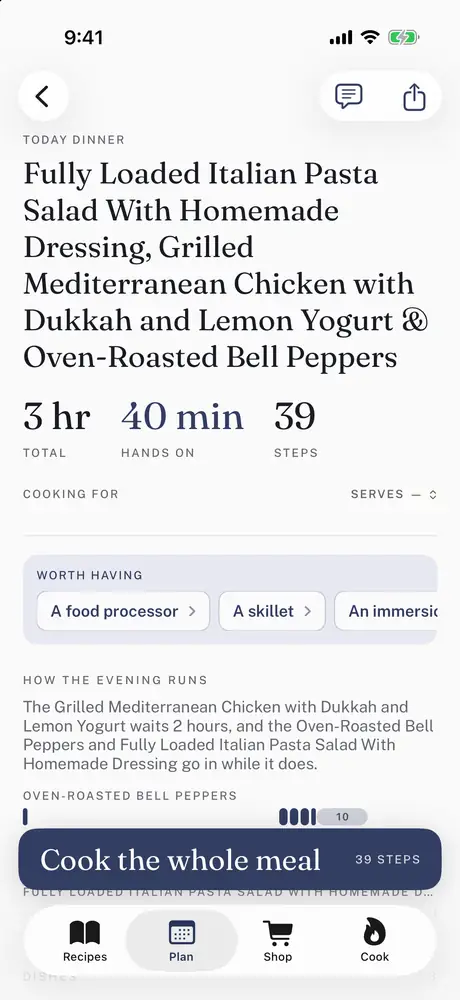 Build the mealCombine recipes to create a meal. PocketCook works out what happens when, so every dish is ready at the same time.
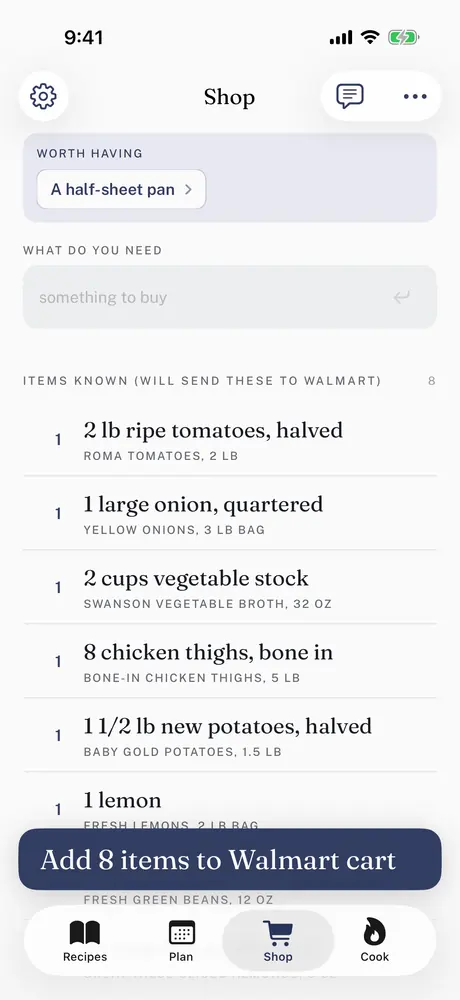 Shop your own shelfNot just “cheddar,” but the sharp cheddar you actually buy. Pick the product once, and every list after that comes with your brands, ready for your store’s cart.
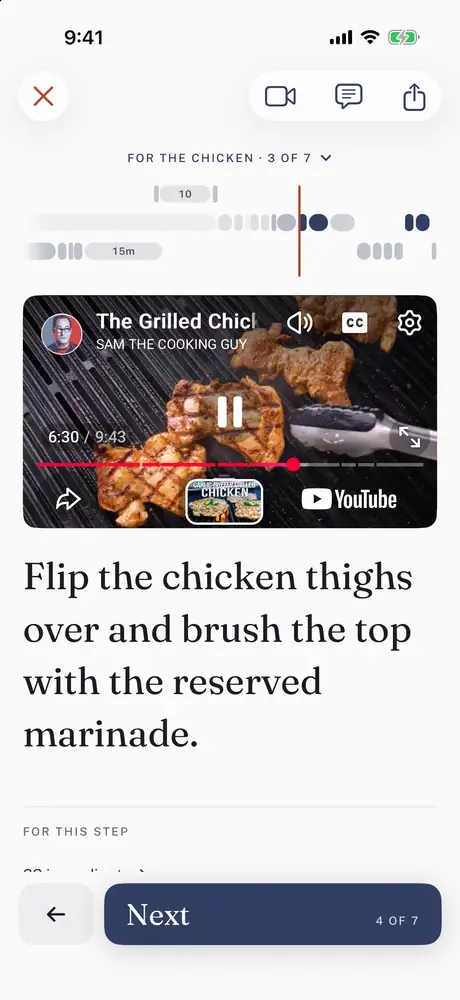 Cook, one line at a timeGet an organized recipe for an entire meal. Each step comes with its ingredients and its timer, and the video follows along.
Before you start
Nothing kills dinner plans quite like getting halfway through a recipe and finding out something needed to marinate overnight.
PocketCook catches those things before you start. If your dough needs to rest, your butter needs to soften, something needs to thaw, or tomorrow’s dinner actually needs to start tonight, you’ll know when you open the recipe.
Plan the recipe for later in the week, and PocketCook will remind you when it’s time to get started.
No more finding out at step four that you should’ve done something yesterday.
What else it does
Send the list to a cart at
What it costs
No card
$4.99 a month · $39.99 a year · $99.99 once
A year works out to about eight months of the monthly.
Get PocketCook on the App Store Free on iPhone and iPad · Android is in testing